GPT Image 2
강력한 지시 이해력, 선명한 텍스트 렌더링, 정밀한 편집을 갖춘 OpenAI의 최첨단 이미지 생성/편집 모델입니다. 품질 기반 가격으로 비용-품질 트레이드오프를 선택할 수 있습니다.
지금 바로 실행해보세요
콘솔의 Playground에서 별도 코드 없이 이 모델을 즉시 테스트할 수 있어요
AI 어시스턴트에서 사용하기
이 모델의 사용법을 Claude, ChatGPT 등에 복사
빠른 시작
curl -X POST "https://api.core.today/v1/predictions" \
  -H "Content-Type: application/json" \
  -H "X-API-Key: cdt_your_api_key" \
  -d '{
  "model": "openai/gpt-image-2",
  "input": {
    "prompt": "A photorealistic close-up portrait of an elderly Japanese ceramicist with deep wrinkles and a warm smile, carefully inspecting a freshly glazed tea bowl in his rustic sun-drenched workshop.",
    "aspect_ratio": "3:2",
    "quality": "high",
    "output_format": "png"
  }
}'파라미터
| 파라미터 | 타입 | 필수 | 기본값 | 설명 |
|---|---|---|---|---|
prompt | string | Yes | - | 생성할 이미지에 대한 텍스트 설명 |
openai_api_key | string | No | - | OpenAI API 키 (선택 사항 - 미입력 시 프록시 사용) |
aspect_ratio | string | No | 1:1 | 출력 비율 1:13:22:34:33:416:99:16auto1024x10241536x10241024x15361536x11521152x15362048x20482048x11521152x20483840x21602160x3840 |
input_images | array | No | - | 편집/합성용 입력 이미지 URL 배열 |
number_of_images | integer | No | 1 | 1로 제한 — 배치는 여러 번 호출하세요 |
quality | string | No | auto | 품질 단계 — 단계가 높을수록 더 선명하지만 느리고 비쌉니다 lowmediumhighauto |
background | string | No | auto | 배경 모드 (투명 배경은 미지원) autotransparentopaque |
output_compression | integer | No | 100 | jpeg/webp 출력 품질 (0~100). 값이 클수록 화질이 좋고 파일이 커지며, webp 100은 무손실입니다. png에는 적용되지 않습니다 |
output_format | string | No | png | 출력 이미지 포맷 pngjpegwebp |
moderation | string | No | auto | 콘텐츠 모더레이션 수준 autolow |
user_id | string | No | - | 최종 사용자를 식별하는 선택적 고유 ID. OpenAI가 남용 여부를 모니터링하고 탐지하는 데 도움이 됩니다. |
파일 입력 방법
이 모델의 input_images 파라미터에 파일을 전달하는 방법은 3가지입니다.
이미지 URL 전달
공개 접근 가능한 URL을 직접 전달합니다. Storage API(POST /v1/files/upload-url)로 업로드하면 파일이 S3로 직접 올라가고(파일당 50MB), 반환된 file_url을 그대로 쓰면 됩니다.
{
  "model": "openai/gpt-image-2",
  "input": {
    "prompt": "your prompt here",
    "input_images": ["https://example.com/image.jpg"]
  }
}간편 업로드 (Multipart)
POST /v1/predictions/upload에 파일을 직접 첨부합니다. 별도 업로드 과정이 없는 대신, 파일이 API 서버를 거치므로 요청 전체 10MB 제한이 적용됩니다.
curl -X POST "https://api.core.today/v1/predictions/upload" \
  -H "X-API-Key: cdt_your_api_key" \
  -F "model=openai/gpt-image-2" \
  -F 'input={"prompt":"your prompt here"}' \
-F "file:input_images=@your_file.png"공통 파라미터
POST /v1/predictions 요청 시 사용되는 공통 파라미터입니다.
| 파라미터 | 타입 | 필수 | 기본값 | 설명 |
|---|---|---|---|---|
model | string | Yes | - | 모델 식별자 |
input | object | Yes | - | 위 테이블의 모델별 파라미터를 포함하는 객체 |
output_folder | string | No | - | 결과물 저장 폴더 경로 (최대 256자, '..' 사용 불가) |
webhook_url | string | No | - | 완료 시 호출할 Webhook URL |
is_public | boolean | No | false | true 시 결과물을 영구 공개 URL로도 제공 |
예제
포토리얼 인물 사진
풍부한 디테일을 갖춘 고품질 인물 사진 생성
curl -X POST "https://api.core.today/v1/predictions" \
  -H "Content-Type: application/json" \
  -H "X-API-Key: cdt_your_api_key" \
  -d '{
  "model": "openai/gpt-image-2",
  "input": {
    "prompt": "A photorealistic close-up portrait of an elderly Japanese ceramicist with deep wrinkles and a warm smile, carefully inspecting a freshly glazed tea bowl in his rustic sun-drenched workshop.",
    "aspect_ratio": "3:2",
    "quality": "high",
    "output_format": "png"
  }
}'기본값: PNG (무손실) — 1.52 MB
기본 출력입니다. 무손실이며 png에는 output_compression이 적용되지 않습니다.
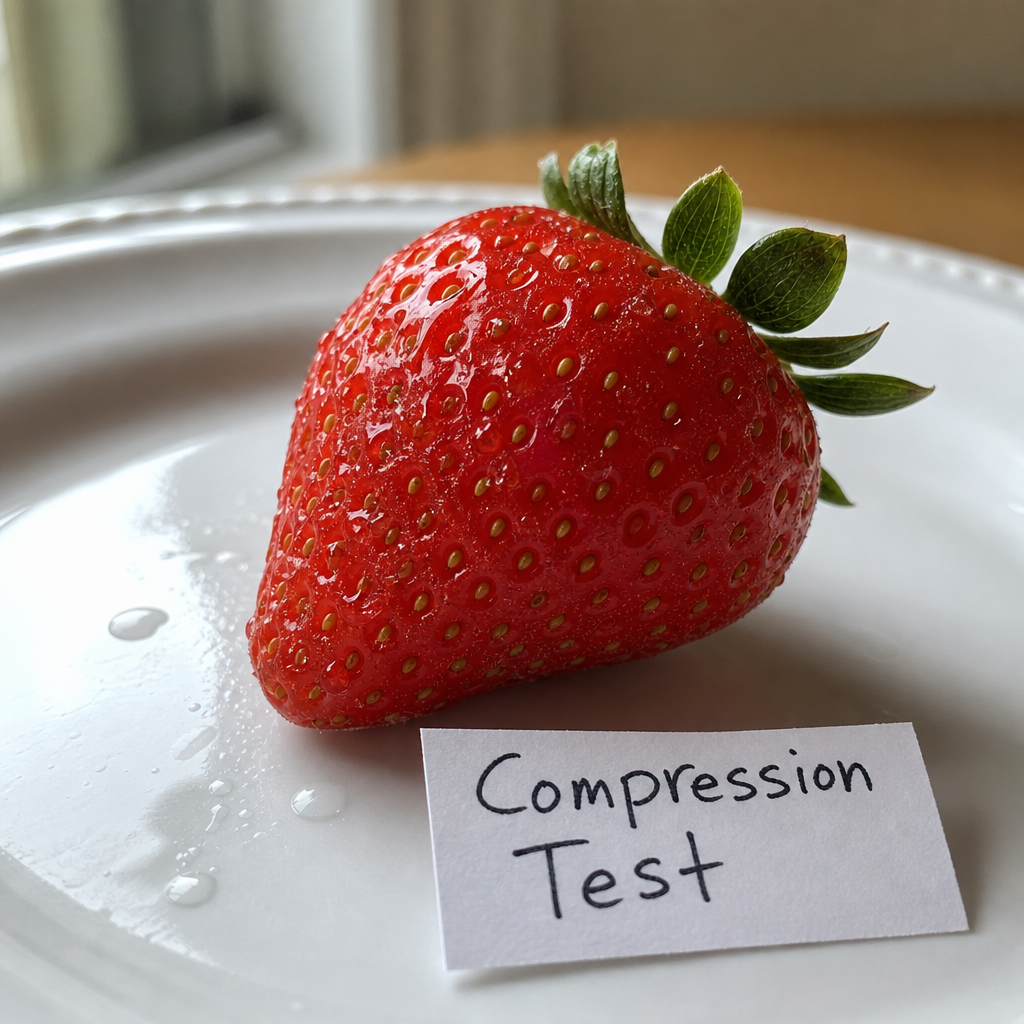
curl -X POST "https://api.core.today/v1/predictions" \
  -H "Content-Type: application/json" \
  -H "X-API-Key: cdt_your_api_key" \
  -d '{
  "model": "openai/gpt-image-2",
  "input": {
    "prompt": "A close-up photo of a ripe red strawberry on a white ceramic plate, fine seeds and water droplets on its surface, soft window light, shallow depth of field, a small handwritten paper label next to it that reads 'Compression Test'",
    "quality": "medium",
    "output_format": "png"
  }
}'WebP, output_compression 100 (무손실) — 1.14 MB
100이면 webp가 무손실로 인코딩됩니다. png와 화질은 같고 크기는 조금 작습니다.
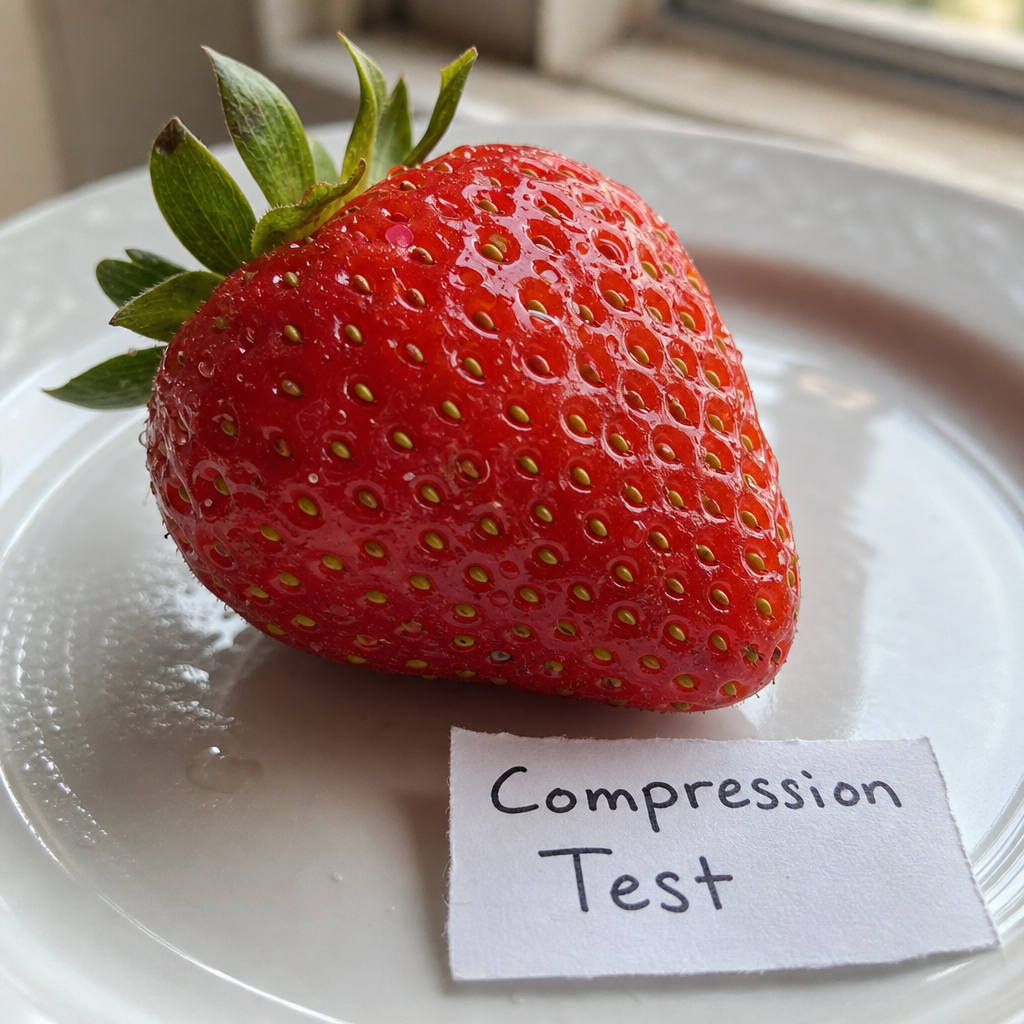
curl -X POST "https://api.core.today/v1/predictions" \
  -H "Content-Type: application/json" \
  -H "X-API-Key: cdt_your_api_key" \
  -d '{
  "model": "openai/gpt-image-2",
  "input": {
    "prompt": "A close-up photo of a ripe red strawberry on a white ceramic plate, fine seeds and water droplets on its surface, soft window light, shallow depth of field, a small handwritten paper label next to it that reads 'Compression Test'",
    "quality": "medium",
    "output_format": "webp",
    "output_compression": 100
  }
}'WebP, output_compression 50 — 75 KB
손실 압축입니다. png의 약 1/20 크기이며 눈에 띄는 손실이 적어 웹 전송에 적합합니다.
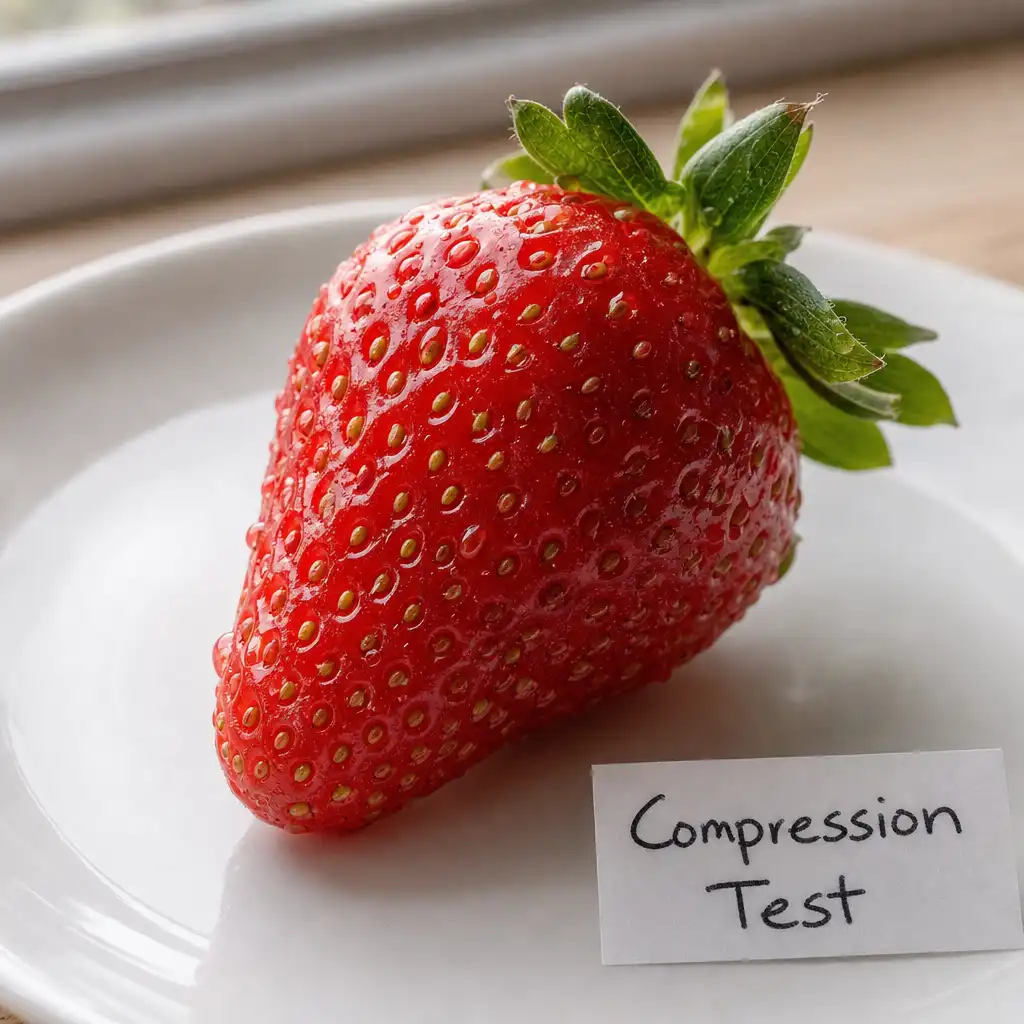
curl -X POST "https://api.core.today/v1/predictions" \
  -H "Content-Type: application/json" \
  -H "X-API-Key: cdt_your_api_key" \
  -d '{
  "model": "openai/gpt-image-2",
  "input": {
    "prompt": "A close-up photo of a ripe red strawberry on a white ceramic plate, fine seeds and water droplets on its surface, soft window light, shallow depth of field, a small handwritten paper label next to it that reads 'Compression Test'",
    "quality": "medium",
    "output_format": "webp",
    "output_compression": 50
  }
}'WebP, output_compression 10 — 39 KB
가장 강한 압축입니다. 파일은 가장 작지만 미세한 질감이 눈에 띄게 뭉개집니다.
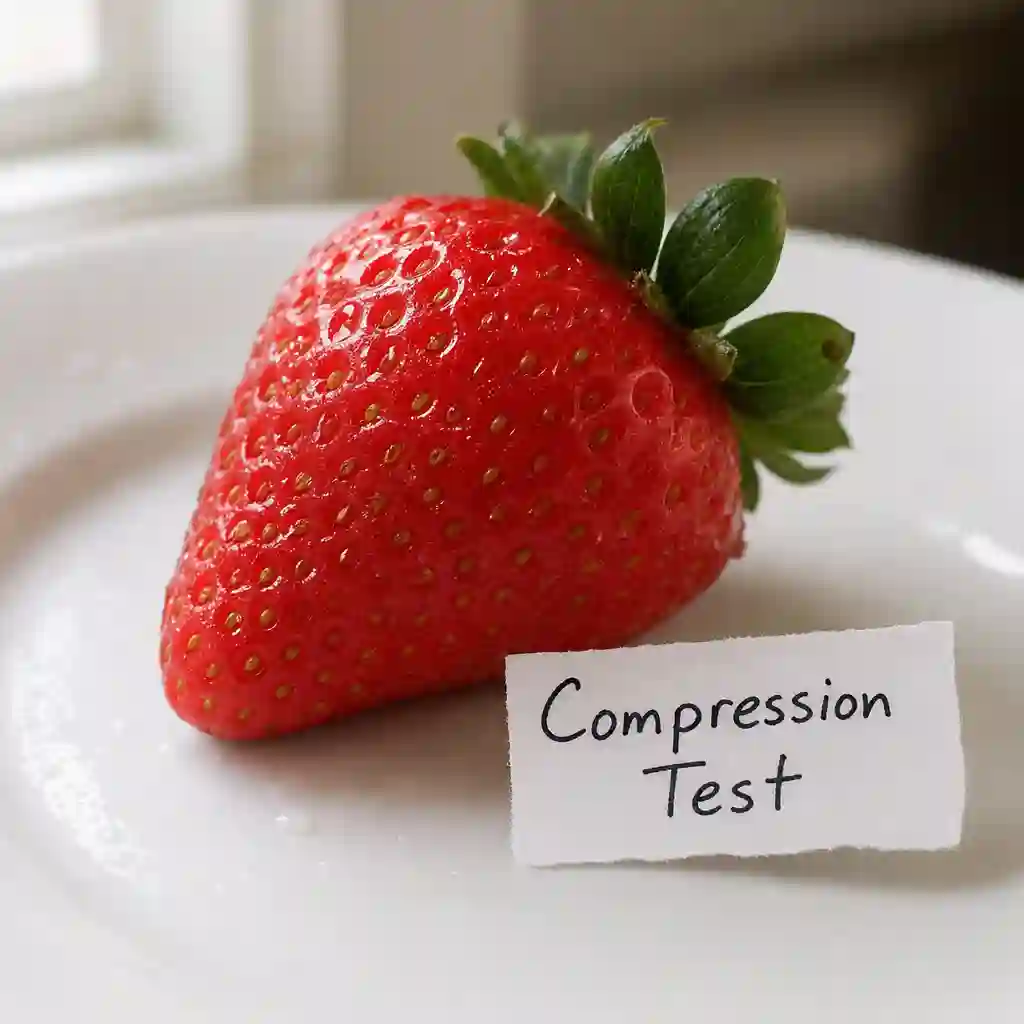
curl -X POST "https://api.core.today/v1/predictions" \
  -H "Content-Type: application/json" \
  -H "X-API-Key: cdt_your_api_key" \
  -d '{
  "model": "openai/gpt-image-2",
  "input": {
    "prompt": "A close-up photo of a ripe red strawberry on a white ceramic plate, fine seeds and water droplets on its surface, soft window light, shallow depth of field, a small handwritten paper label next to it that reads 'Compression Test'",
    "quality": "medium",
    "output_format": "webp",
    "output_compression": 10
  }
}'JPEG, output_compression 10 — 40 KB
JPEG는 값과 관계없이 항상 손실 압축입니다. 참고로 50은 96 KB, 100은 113 KB입니다.
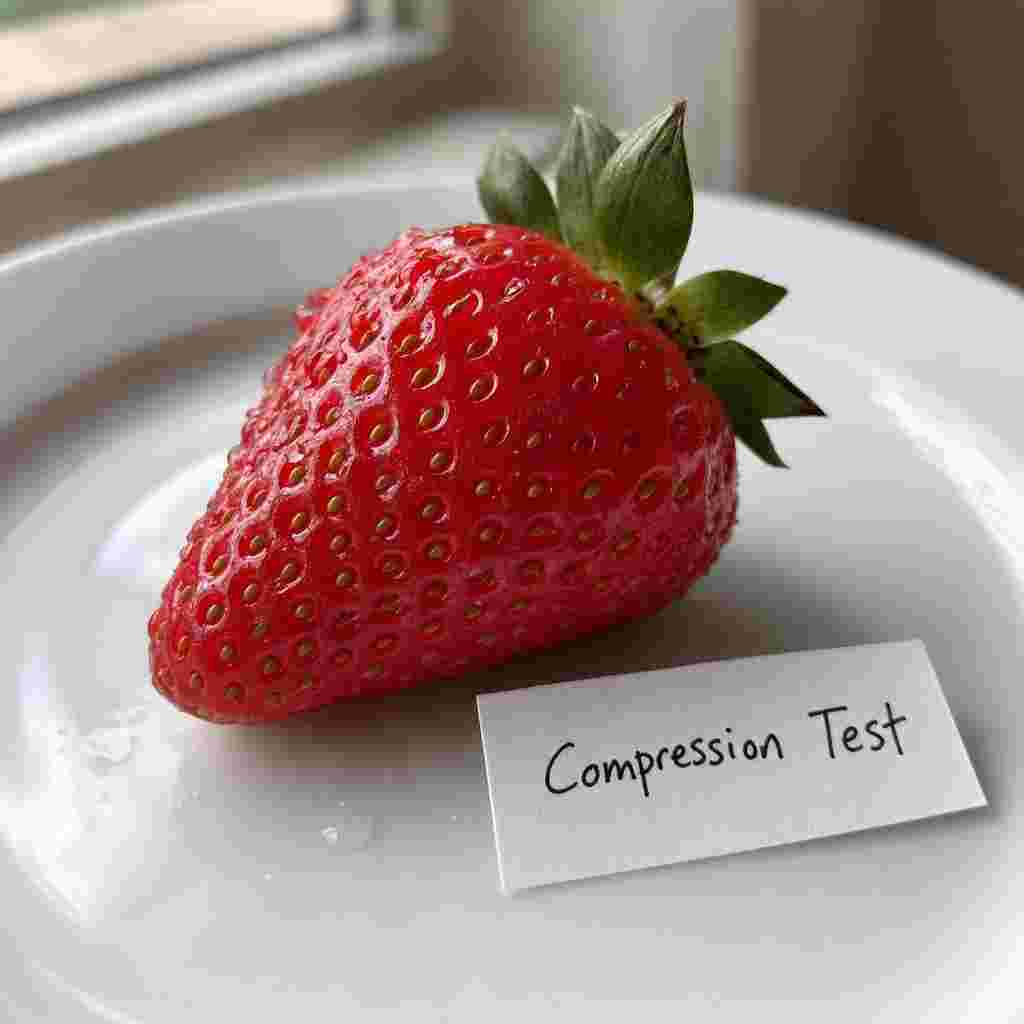
curl -X POST "https://api.core.today/v1/predictions" \
  -H "Content-Type: application/json" \
  -H "X-API-Key: cdt_your_api_key" \
  -d '{
  "model": "openai/gpt-image-2",
  "input": {
    "prompt": "A close-up photo of a ripe red strawberry on a white ceramic plate, fine seeds and water droplets on its surface, soft window light, shallow depth of field, a small handwritten paper label next to it that reads 'Compression Test'",
    "quality": "medium",
    "output_format": "jpeg",
    "output_compression": 10
  }
}'